

User guide
Everything in Superprocess happens in the app — there’s no code to write. Where you start depends on what you’re here to do.
Operate a process
Section titled “Operate a process”You work inside a process someone has already built — picking up tasks, completing forms, and keeping an eye on runs. This is the day-to-day, and it’s quick to learn.
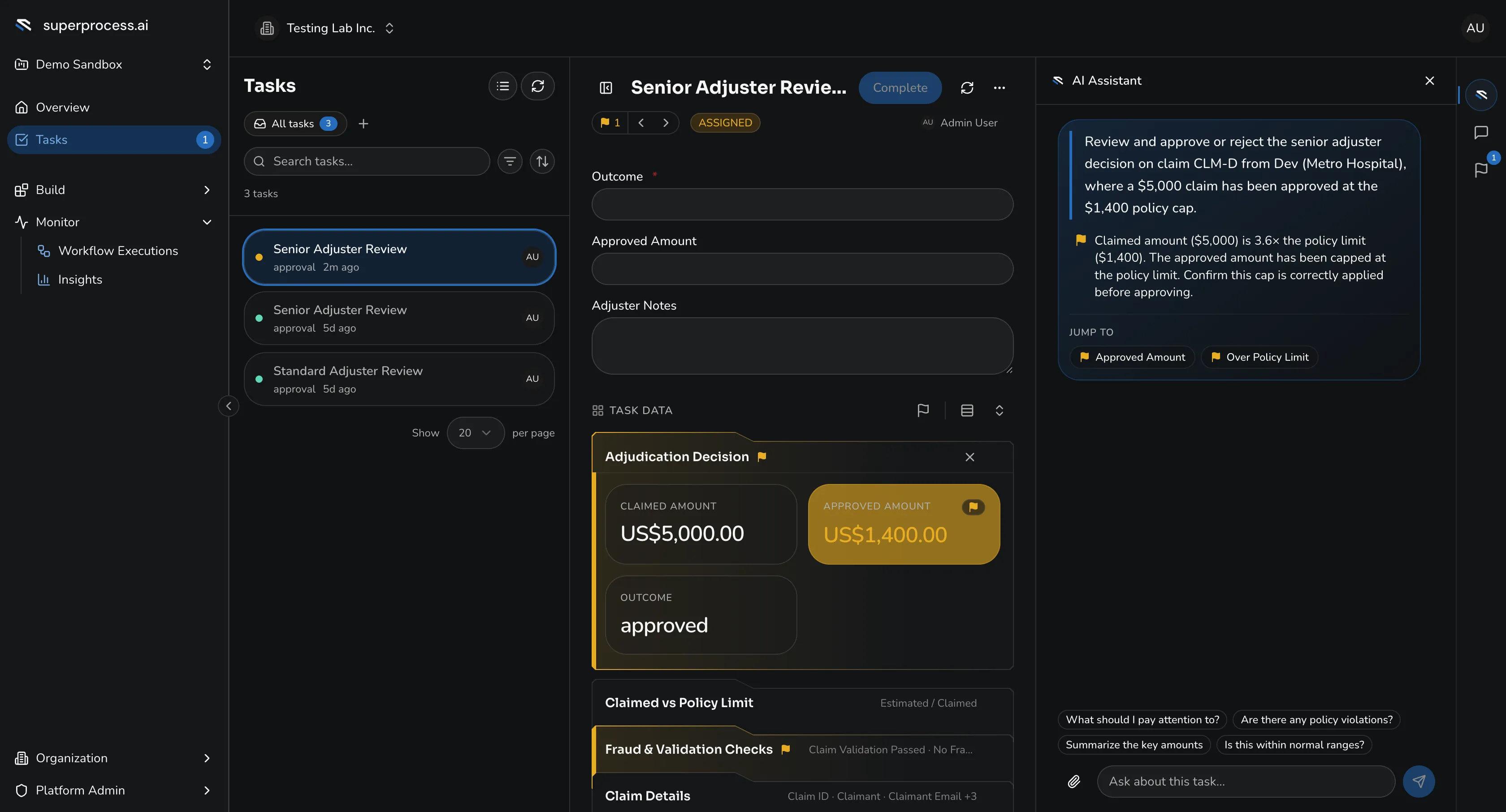
When the AI agent decides an invoice needs human judgement, it lands in the Tasks inbox — where the assignee completes a form, helped by an AI review assistant.
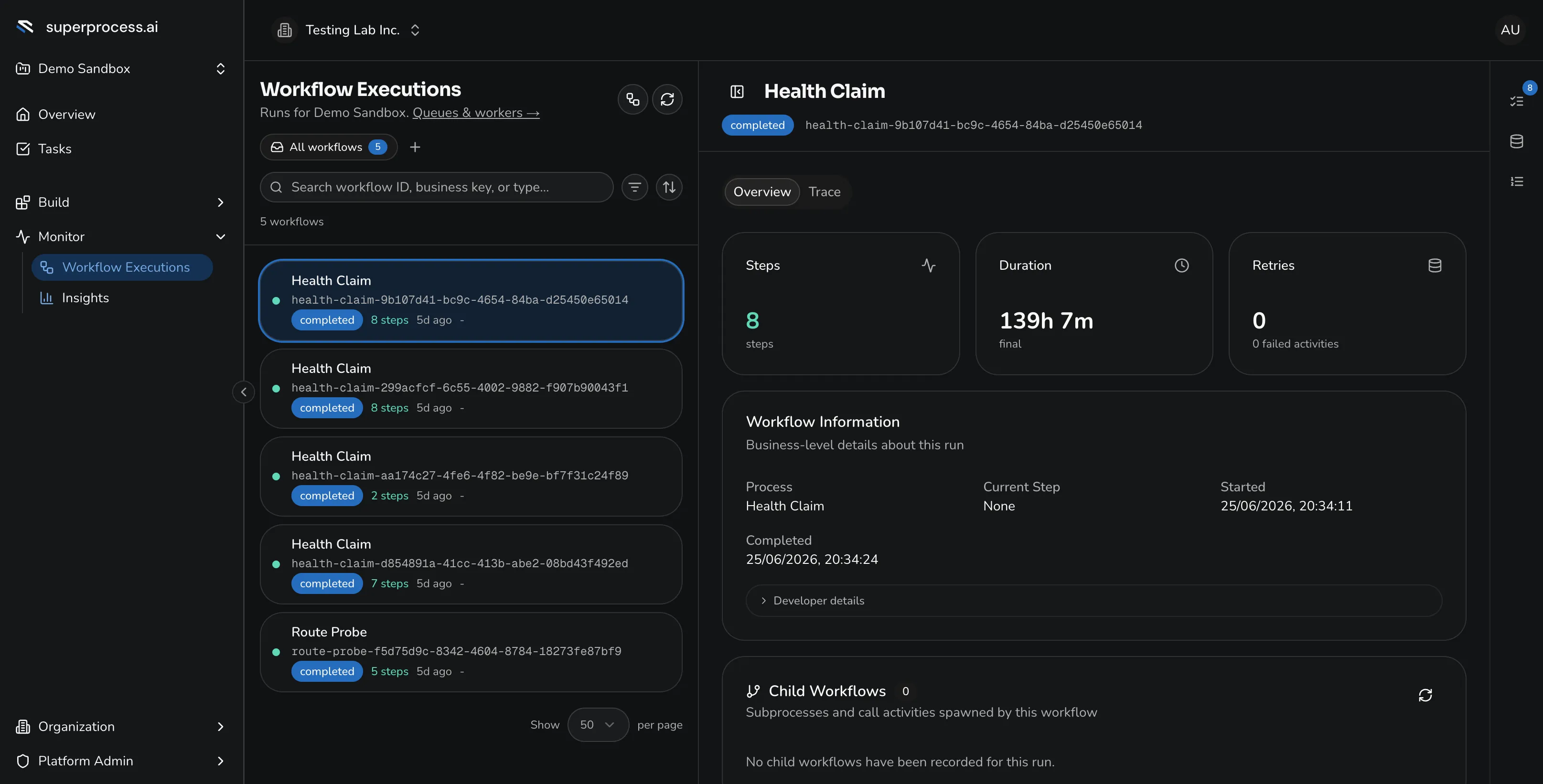
Workflow Executions lists every running and completed run — filter by status, follow the sub-process tree, and open a run to its step-by-step timeline. (The Processes page lists your process definitions — the templates that get deployed and versioned.)
Build a process
Section titled “Build a process”You own the process and design it end to end. The tutorial below takes the invoice-approval scenario from the intro from a blank canvas to a running, monitored workflow — designing the process, configuring the AI agent, wiring its integrations, running it, and handling the tasks it hands off.
It’s the deep dive: plan on about ninety minutes. If you only need to use a process, the Operate a process track above is all you need.
Settings & admin
Section titled “Settings & admin”The supporting work behind a running process: managing projects, securing the integration and AI credentials, and adding users and roles. Plan on about thirty minutes.